
OT2Go Spine1.6 - App Store
You'll be able to see results in few seconds.
Publisher Description

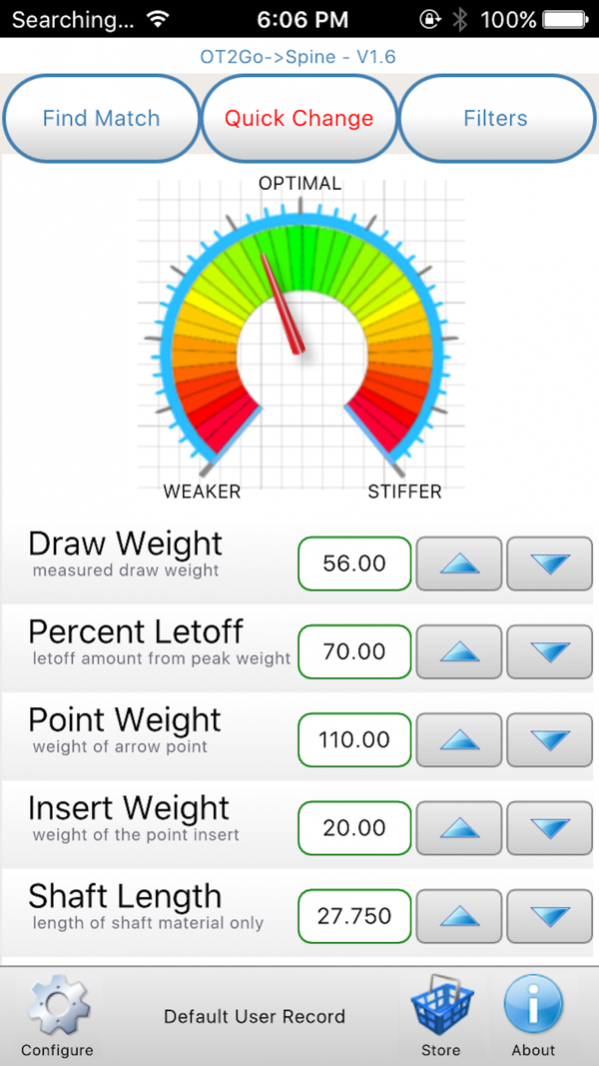


An archery toolbox for calculating proper arrow spine.
In-App purchases unlock Premium Features.
The app uses a configuration created from the user's bow definition and desired arrow parameters.
It is the only handheld app available for shaft selection that is based on bow performance. It has the same features and flexibility as the desktop app available from Pinwheel Software.
You can search by shaft manufacturer, shaft construction (aluminum, carbon, aluminum/carbon), and shaft usage (target, hunting, both).
You can search the database for a specific weight range for a completed arrow (with your components), a shaft diameter range, or a specific percent FOC range. Choose to include or omit discontinued shafts.
Flexible, Accurate, Unique.
Jan 10, 2019 Version 1.6
Enhanced support for database updating.
Replaced Quick Change sliders with Up Down Buttons.
Minor bug fixes.
About OT2Go Spine
The company that develops OT2Go Spine is Pinwheel Software, Inc.. The latest version released by its developer is 1.6.
To install OT2Go Spine on your iOS device, just click the green Continue To App button above to start the installation process. The app is listed on our website since 2019-01-10 and was downloaded 0 times. We have already checked if the download link is safe, however for your own protection we recommend that you scan the downloaded app with your antivirus. Your antivirus may detect the OT2Go Spine as malware if the download link is broken.
How to install OT2Go Spine on your iOS device:
- Click on the Continue To App button on our website. This will redirect you to the App Store.
- Once the OT2Go Spine is shown in the iTunes listing of your iOS device, you can start its download and installation. Tap on the GET button to the right of the app to start downloading it.
- If you are not logged-in the iOS appstore app, you'll be prompted for your your Apple ID and/or password.
- After OT2Go Spine is downloaded, you'll see an INSTALL button to the right. Tap on it to start the actual installation of the iOS app.
- Once installation is finished you can tap on the OPEN button to start it. Its icon will also be added to your device home screen.
Program Details
System requirements
Download information
Pricing
Version History
version 1.6
posted on 2019-01-10
10 Jan 2019 Version 1.6
Enhanced support for database updating.
Replaced Quick Change sliders with Up Down Buttons.
Minor bug fixes.
version 1.6
posted on 2019-01-10
Jan 10, 2019 Version 1.6
Enhanced support for database updating.
Replaced Quick Change sliders with Up Down Buttons.
Minor bug fixes.
version 1.6
posted on 1970-01-01
2019年1月10日 Version 1.6
Enhanced support for database updating.
Replaced Quick Change sliders with Up Down Buttons.
Minor bug fixes.
version 1.6
posted on 1970-01-01
10 de ene. de 2019 Version 1.6
Enhanced support for database updating.
Replaced Quick Change sliders with Up Down Buttons.
Minor bug fixes.
Disclaimer
Official App Store Link
We do not host OT2Go Spine on our servers. We did not scan it for viruses, adware, spyware or other type of malware. This app is hosted by Apple and passed their terms and conditions to be listed there. We recommend caution when installing it.
The App Store link for OT2Go Spine is provided to you by apps112.com without any warranties, representations or guarantees of any kind, so access it at your own risk.
If you have questions regarding this particular app contact the publisher directly. For questions about the functionalities of apps112.com contact us.
